









 4.5 on



Digital license key delivered via email, including a step-by-step guide & download link.
- Permanent License valid for life
- 100% original 25-character Microsoft key
(XXXXX-XXXXX-XXXXX-XXXXX-XXXXX). - Requires Windows 10 or Windows 11 (MacOS version of Office 2019 Home and Business is available here)
- INSTANT DELIVERY: Your license, installation guide and download link are automatically sent to you by email.
This includes:











Digital license key delivered via email, including a step-by-step guide & download link.
- Permanent License valid for life
- 100% original 25-character Microsoft key
(XXXXX-XXXXX-XXXXX-XXXXX-XXXXX). - Requires Windows 10 or Windows 11 (MacOS version of Office 2019 Home and Business is available here)
- INSTANT DELIVERY: Your license, installation guide and download link are automatically sent to you by email.
This includes:
Fast and reliable! Bought a Microsoft Office 2021, and the process was smooth and quick.
Paul Dean, 🇬🇧
Their service is straightforward, and they deliver what they promise. No frills, just good products and responsive support when needed.
Gail Schloss, 🇨🇦
Super expérience avec Licengo ! Achat de logiciel Microsoft et clé de licence reçue instantanément. Service et support excellents. Je recommande vivement !
Henry tKint, 🇧🇪
Licengo delivers excellent digital products with prompt service and professional communication. Highly reliable partner!
Darrell Carnell, 🇨🇦
I recently purchased Office 2021 Pro Plus from Licengo, and the experience was flawless! The process was quick and simple, and I received my product key within minutes only. Installation was smooth, and the software works perfectly. Great value for money and excellent customer service. Highly recommend!
Sandra, 🇬🇧
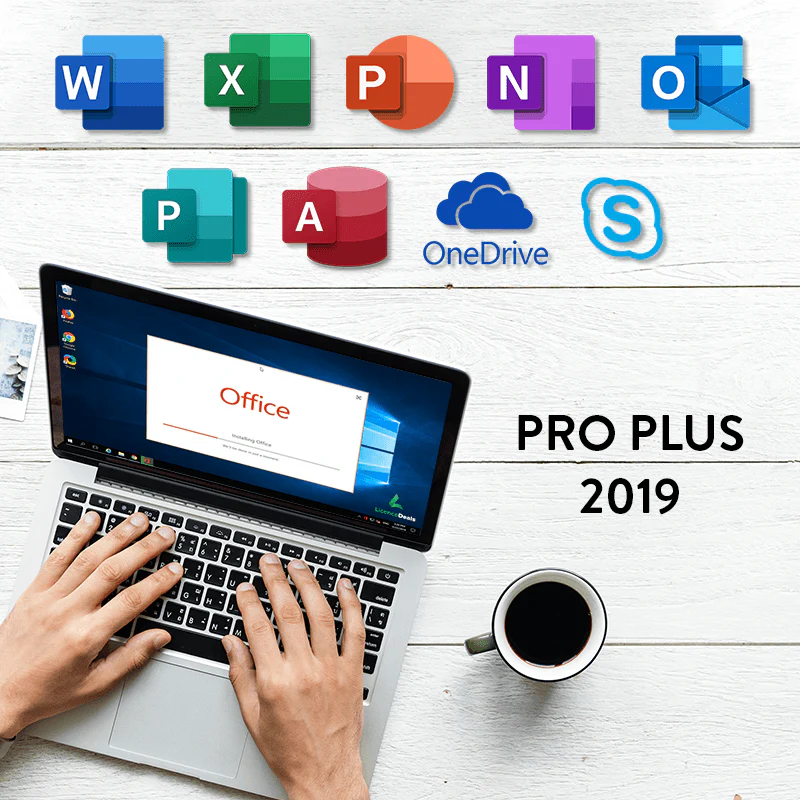
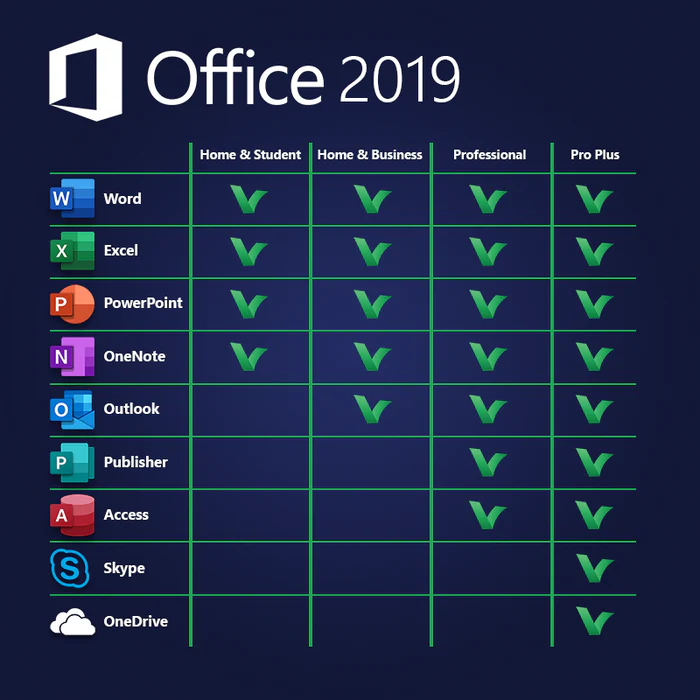
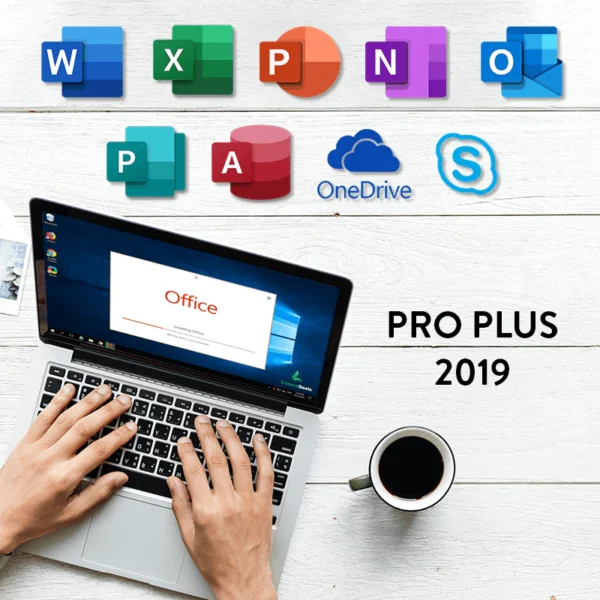
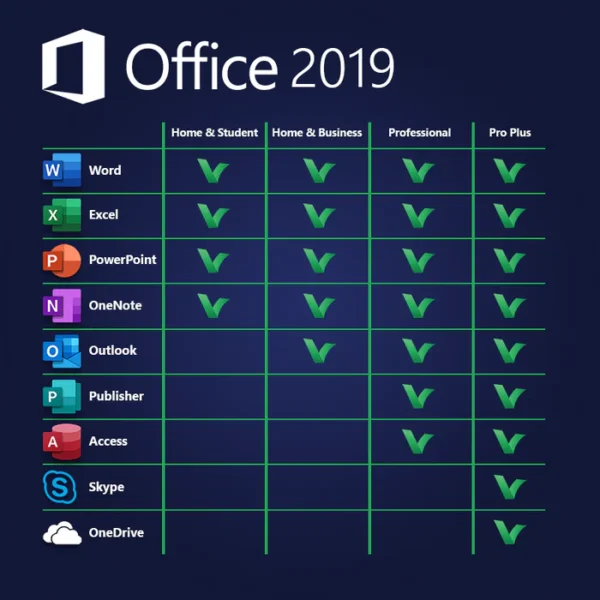
Microsoft Office 2019 Professional Plus includes tools to maximize your productivity. This package offers you Word, Excel, PowerPoint, OneNote, Outlook, Publisher, Access and Skype.
With the perpetual license we offer, all applications are regularly updated to ensure that you always have access to the latest features.
-
Microsoft Word 2019
Microsoft Word remains the industry standard for word processing. In its 2019 version, it offers improved collaboration features, seamless integration of charts and diagrams, and the ability to research directly from the web, among other powerful tools.
-
Microsoft Excel 2019
Excel 2019 features an updated interface and new graphical capabilities, allowing you to accurately visualize data. Perform complex data analysis, extract data from multiple sources, use interactive maps, and much more.
-
Microsoft PowerPoint 2019
Create stunning presentations with PowerPoint 2019’s Morph feature, which enables smooth transitions between slides. Perfect for showcasing ideas with professional-quality presentations that are easy to share and collaborate on.
-
Microsoft Outlook 2019
Efficiently manage email, calendars, tasks, and contacts with Outlook 2019. Effortlessly sync multiple accounts and calendars, and streamline communication across teams and one-on-one.
-
Microsoft Access 2019
Design custom databases tailored to your business needs with Microsoft Access. Securely scale your databases using SQL technology, ensuring robust management capabilities.
-
Microsoft OneDrive
Seamlessly access and share your documents with 5GB of free cloud storage included when you sign up for a Microsoft account. OneDrive simplifies document management and collaboration.
-
Microsoft Skype Business
Make it easy to communicate effectively with one-click meetings and comprehensive communication tools in Skype for Business. Keep your team connected and productive.
Buy Office 2019 Professional Plus License Key
After purchasing, simply log in to your Microsoft account to download the software. It’s a hassle-free process. If you don’t have a Microsoft account yet, creating one is easy and free.
Rest assured that if you have any issues, our support team is here to help you quickly. At Licengo, customer satisfaction is our top priority, and we strive to ensure that your experience with us is excellent. We’re only happy when you are.
| Duration |
Lifetime |
|---|---|
| Devices |
1 PC |
| Activation |
Online |
| Warranty |
1 year |
| Includes |
Outlook ,Word ,Excel ,PowerPoint ,OneNote ,Publisher ,Access ,OneDrive ,Skype for Business |
| Operating System |
Windows 10 ,Windows 11 ,Windows Server 2019 ,Windows Server 2022 |
| Processor |
1.6 GHz or faster, 2-core |
| Memory |
4 GB (64bit), 2 GB (32bit) |
| Hard Disk |
4.0 GB of available disk space |
| Display |
(1280 x 768) Screen Resolution |
| Graphics Hardware |
DirectX 9 or later, with WDDM 2.0 or higher |
| Brand |
Microsoft |
| Label |
Limited-Time Offer |
3 reviews for Microsoft Office 2019 Professional Plus – Online Activation – Lifetime Digital License
Clear filtersFrequently Asked Questions
Is Office 2019 Pro Plus subscription-based?
No, Office 2019 Pro Plus is a one-time purchase, and you don’t need a subscription. However, it does not include cloud features or regular updates like Microsoft 365.
What are the system requirements for Office 2019 Pro Plus?
Operating System: Windows 10 or later / macOS (specific versions) Processor: 1.6 GHz or faster, 2-core processor RAM: 4GB (64-bit) or 2GB (32-bit) Disk Space: At least 4GB available
Can I use Office 2019 Pro Plus on multiple devices?
The license is typically valid for one PC or Mac, depending on the license type you purchase.
Does Office 2019 Pro Plus include cloud storage?
No, it does not include cloud storage. For cloud-based features, you’ll need Microsoft 365.
How is Office 2019 Pro Plus different from Microsoft 365?
Office 2019 Pro Plus is a one-time purchase with no updates or upgrades, while Microsoft 365 is subscription-based with ongoing updates and cloud features.
Is technical support available for Office 2019 Pro Plus?
When you buy from Licengo, you not only get an unbeatable price, but we also provide advanced support for installation and activation issues for free, with no additional purchase or subscription required.
Can I upgrade from Office 2019 Pro Plus to a newer version?
No, Office 2019 Pro Plus does not include upgrade rights. You’ll need to purchase the newer version separately when it’s available.
How do I activate Office 2019 Pro Plus?
After installation, use the product key provided during purchase to activate it. An internet connection is required for activation.
Is Office 2019 Pro Plus compatible with older versions of Office files?
Yes, it supports opening and editing files from older Office versions, although saving files in modern formats is recommended.
Download the program with the following download link
| LANGUAGE | 32 BITS | 64 BITS |
| DEUTSCH | Herunterladen | Herunterladen |
| ENGLISH | Download | Download |
| FRANÇAIS | Télécharger | Télécharger |
| ITALIANO | Scarica | Scarica |
| ESPAÑOL | Download | Download |
| NEERLANDES | – | Downloaden |
| SVERIGE | – | Ladda ner |
PLEASE NOTE: To ensure a successful installation of the lifetime version of Office, we recommend that you uninstall any previously installed versions of Office on your computer, including Office 365, as it may cause conflicts during installation.
1- Installation process:
Once the download is complete, follow these steps:
- Right Click on the file and then select the option, “Run as administrator”
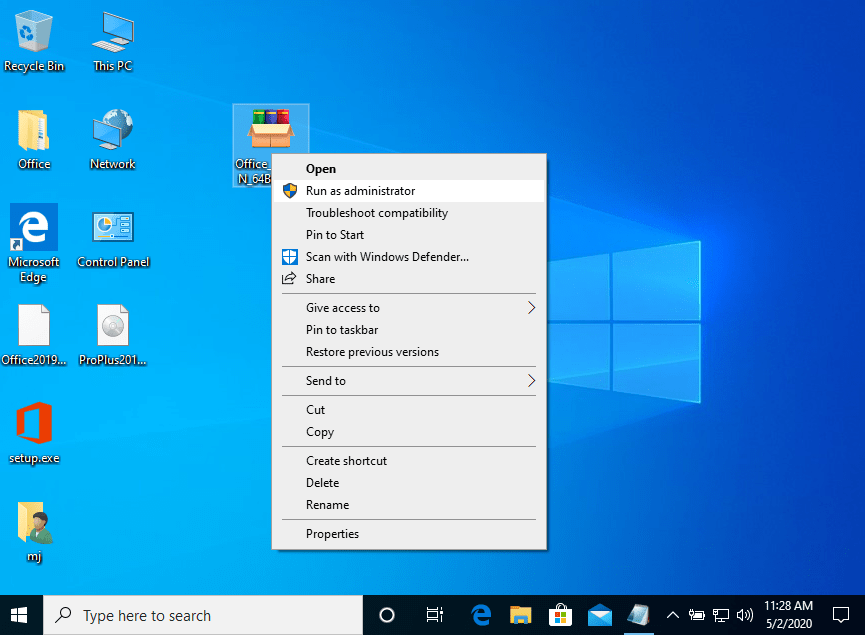
2. Click on the “Install” button. This action unzips the application and will install your product.
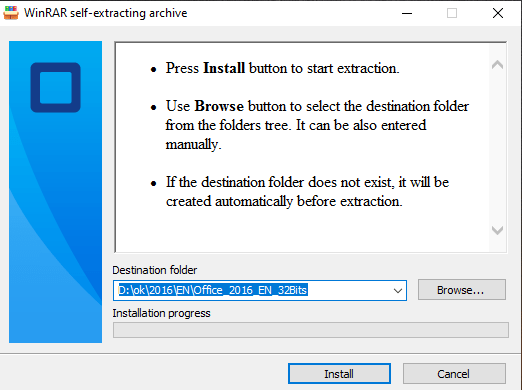
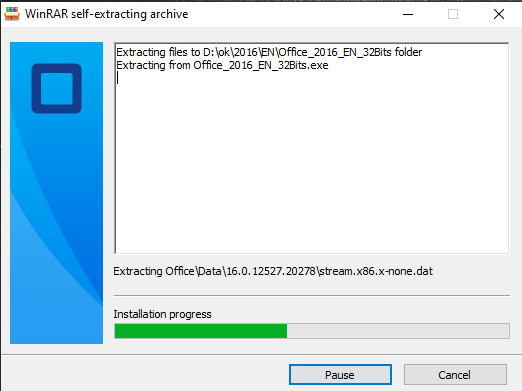
2- Software activation:
Once the download is complete and the installation of the program is complete, enter the activation key when running any application from the Microsoft Office package, it will be the first thing that will ask you.
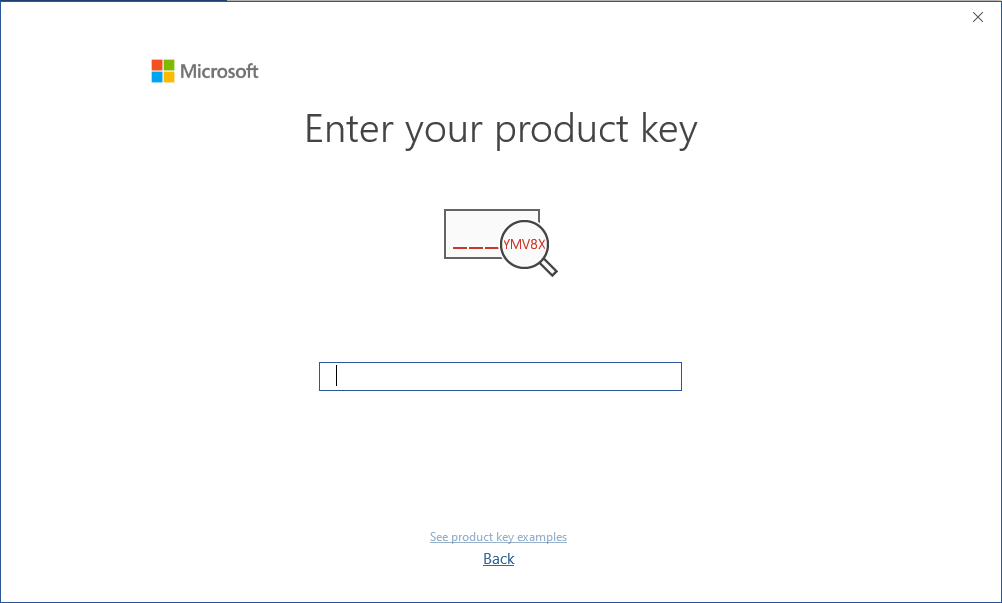
During the installation of Microsoft Office, you should have been prompted to enter the product key we sent you. If this did not happen, please open Word, click on “File,” then “Account,” and enter the provided key there.
If you don’t do this, your purchased Microsoft Office will turn into a trial version after 30 days.
Microsoft has gradually phased out support for some older products. Therefore, telephone activation is no longer possible. If you have any problems or questions during the Installation, please contact our 24/7 customer service.
Important: Before installing Microsoft Office, make sure to remove any other installed versions first.
To install Microsoft Office 2019 you can do it in 2 ways, which we explain below.
Option 1:
Please follow these steps to successfully download, install, and activate Office 2019 Professional Plus on your computer:
Go to Microsoft’s website: setup.office.com
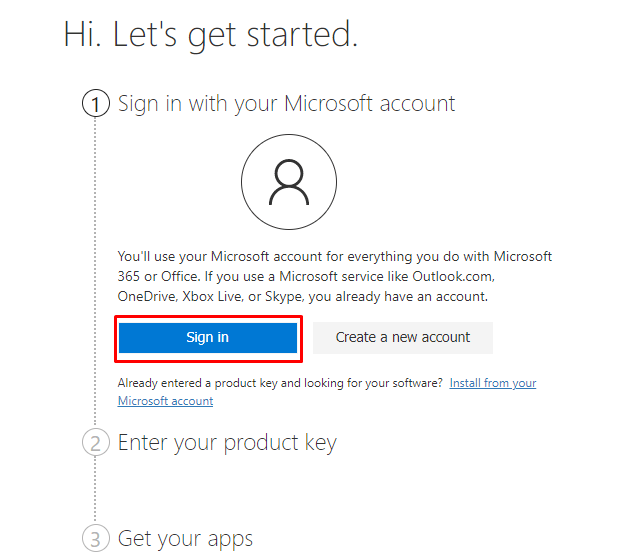
Create a new Microsoft account or sign in to your existing one.
Then enter the product key provided by us.
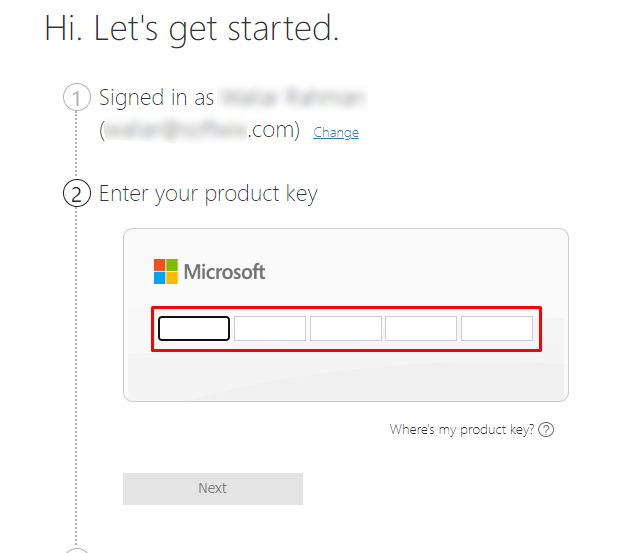
And finally download and install Microsoft Office 2019 Professional Plus ISO file.
Note: You can also download the ISO file directly from Licengo download center if you have not purchased a license key yet.
Option 2:
First, before installing Office, check the minimum system requirements.
You can choose your Office image corresponding to your language from the download center, and click to download.
After downloading the file “Proplus2019retail.img” :
- Right-click on the downloaded file and select Open with Windows Explorer.
- Locate and run the Setup file to begin the installation.
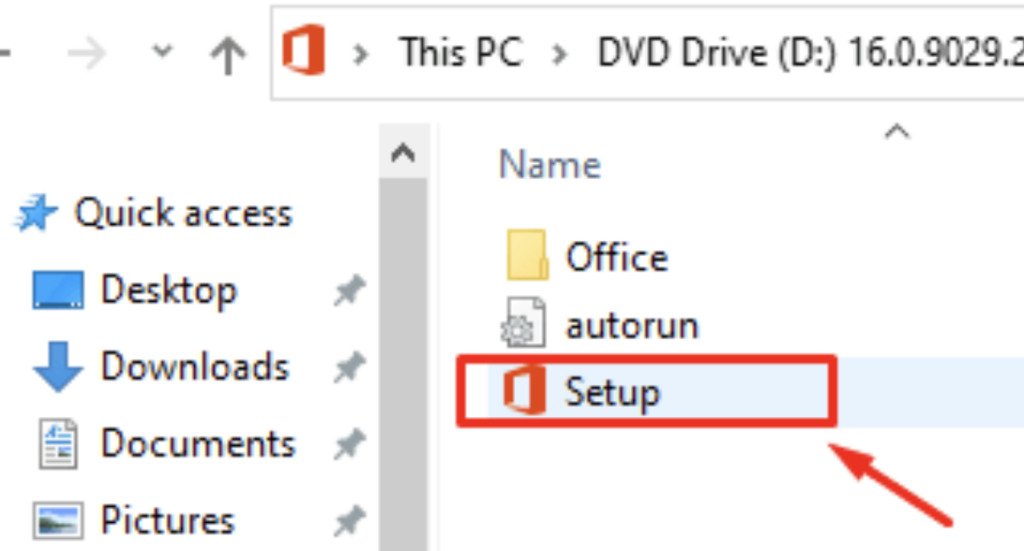
If This Step Does Not Work
- Download a ZIP utility such as: Izarc (freeware), WinRAR, 7-Zip, or WinZIP.
- Extract the contents of the .img file to a location on your computer.
- Navigate to the extracted files and run the setup file to proceed with the installation.
Follow the further instructions that appear on your screen to proceed with the installation.
Once the installation is complete, a new window will appear, Simply close it to finalize the installation process.
Activate Microsoft Office Pro Plus 2019
After successfully installing Office 2019 Pro Plus on your device, you can activate the software by following these steps:
- Open any Microsoft Office 2019 application, such as Word or Excel.
- Click on the “File” tab located in the top-left corner of the screen.
- Select “Account” from the menu on the left side.
- In the “Product Information” section, click on the “Change Product Key” option.
- Enter your 25-character product key in the provided field and press the Enter button.
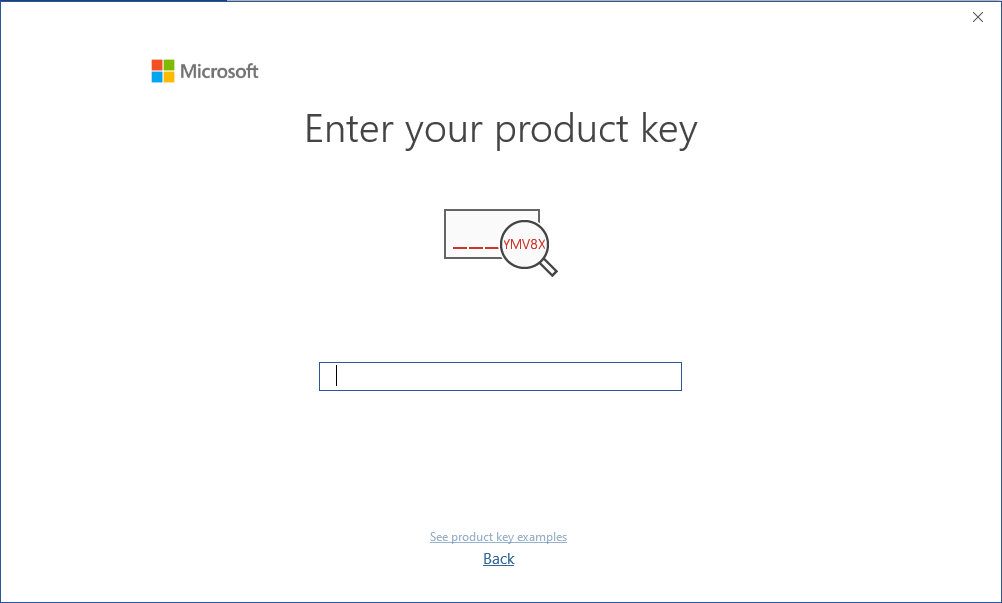
If you enter the license key correctly and it is valid, the Activate Office button will appear.
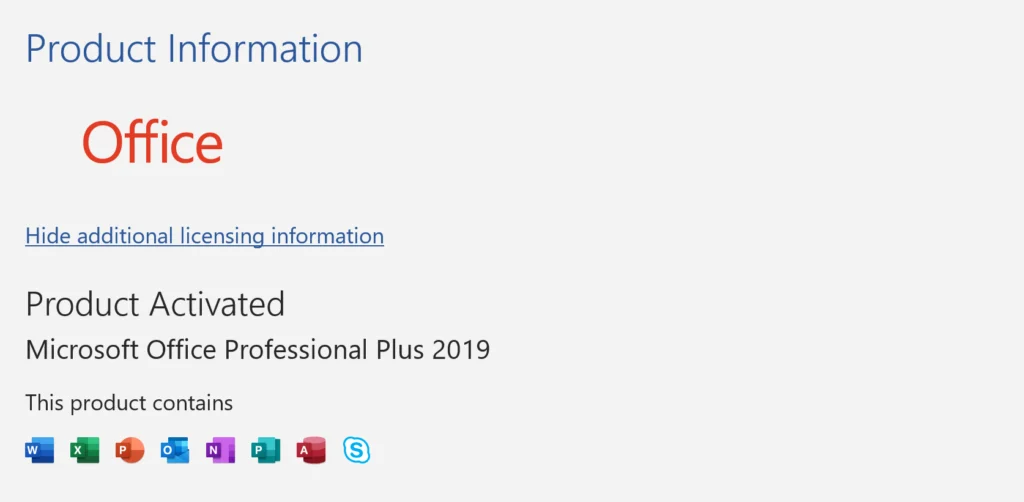
Congratulations! Office 2019 Professional Plus has been successfully activated on your device. You can now enjoy the full range of features and benefits offered by the complete suite of applications.


clara (verified owner) –
very good experience, will use again for sure
Store manager admin –
We’re so grateful for your 5-star rating! The Licengo team is committed to keeping you happy.
jack (verified owner) –
Quick delivery, no issues with the key. 😊
Store manager admin –
We’re delighted you’re satisfied with our service! Licengo will continue to strive for perfection.
sarah (verified owner) –
Worked perfectly, no issues with the activation.
Store manager admin –
Your satisfaction is the greatest reward for the Licengo team. Thanks for the 5-star review!