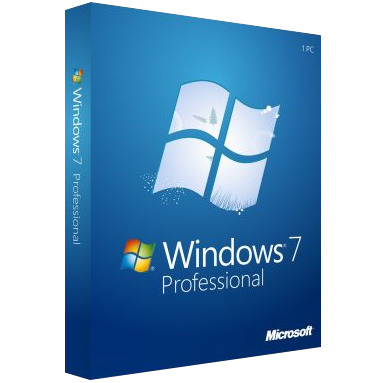
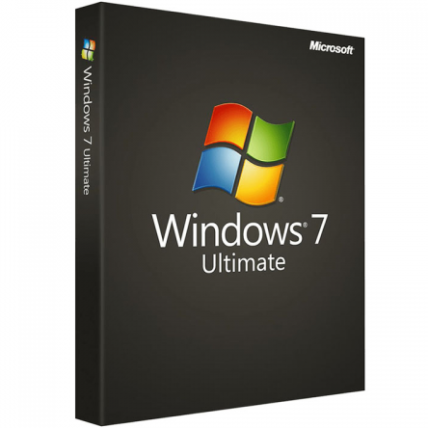
Windows 7 Professional – Digital Licence
We are a certified Microsoft Partners
Click to verify
Click to verify
Digital license key delivered via email, including a step-by-step guide & download link.
Windows 7 Professional is a time-tested operating system for home PC and office use. Buy your license key today!
- Safe and secure payment guaranteed
We are a certified Microsoft Partners
Click to verify
Click to verify
Digital license key delivered via email, including a step-by-step guide & download link.
Windows 7 Professional is a time-tested operating system for home PC and office use. Buy your license key today!
| Duration |
Lifetime |
|---|---|
| Devices |
1 PC |
| Activation |
Online |
| Warranty |
1 year |
| Brand |
Microsoft |
- Safe and secure payment guaranteed
Reviews
Real reviews from verified buyers to help you make the best choice.
Fast and reliable! Bought a Microsoft Office 2021, and the process was smooth and quick.
Paul Dean, 🇬🇧
Their service is straightforward, and they deliver what they promise. No frills, just good products and responsive support when needed.
Gail Schloss, 🇨🇦
Super expérience avec Licengo ! Achat de logiciel Microsoft et clé de licence reçue instantanément. Service et support excellents. Je recommande vivement !
Henry tKint, 🇧🇪
Licengo delivers excellent digital products with prompt service and professional communication. Highly reliable partner!
Darrell Carnell, 🇨🇦
I recently purchased Office 2021 Pro Plus from Licengo, and the experience was flawless! The process was quick and simple, and I received my product key within minutes only. Installation was smooth, and the software works perfectly. Great value for money and excellent customer service. Highly recommend!
Sandra, 🇬🇧
Following Windows Vista, Windows 7 Professional represents Microsoft’s latest operating system. Targeted primarily at professional users and the business sector, Windows 7 Pro introduces several enhancements. These include visual optimizations in the user interface, as well as technical improvements to system performance and security, such as the revamped Windows Explorer and the new Security Center.
Enhanced Performance and User-Friendly Interface
Microsoft has prioritized intuitive operation and enhanced performance in the Windows 7 Professional operating system. Significant improvements have been made to both application interfaces and the system itself. Programs like Paint and WordPad now feature the ribbon interface, which was introduced in Microsoft Office 2007. The traditional sidebar from Vista has been replaced in Windows 7 Professional, allowing widgets to be placed directly on the desktop for greater flexibility.
Windows 7 Professional runs faster and more efficiently than its predecessor, despite numerous enhancements. The introduction of DirectX 11 has significantly boosted graphics performance. Additionally, the operating system supports alternative input devices such as tablet PCs, featuring multi-touch functionality for a more interactive user experience.
Innovative Features in Windows 7 Professional
Beyond performance enhancements and interface improvements, Microsoft Windows 7 Professional introduces new programs and features designed to streamline workflow and lighten your workload:
- Libraries: Virtual folders in Windows Explorer for efficient data management.
- Action Center: New Security Center for monitoring virus scanners and firewalls.
- Voice Commands and Voice Output: Assists users with accessibility needs.
- Device Stages: Displays frequent activities for external devices.
- Problem Steps Recorder: Detailed logging of issues for troubleshooting.
- HomeGroup Setup: Simplifies setup of home network groups.
- Enhanced Windows Search: Faster content and program retrieval.
- Security Enhancements: Strengthens system security with robust features.
These features make Windows 7 Professional a comprehensive choice for professionals, offering improved productivity, accessibility, and security measures.
In the latest version of Windows 7, Microsoft has significantly enhanced security alongside its user-friendly and powerful features. Biometric authentication via fingerprints is now standard, improving access control. Unlike Windows Vista, the User Account Control (UAC) in Windows 7 is adjustable in increments and manages a whitelist of system programs with automatic administrator rights. Additionally, users can create a blacklist for critical applications, ensuring they are handled with extra security measures and confirmation prompts during execution. Regular updates from Microsoft, including certified drivers and corrections, further enhance system security, ensuring your system remains secure and up-to-date.

| Duration |
Lifetime |
|---|---|
| Devices |
1 PC |
| Activation |
Online |
| Warranty |
1 year |
| Processor |
1 GHz or faster |
| Memory |
1 GB (32-bit) or 2 GB (64-bit) |
| Hard Disk |
16 GB for 32-bit or 20 GB for 64-bit |
| Graphics Hardware |
DirectX 9 or later |
| Brand |
Microsoft |
10 reviews for Windows 7 Professional – Digital Licence
Clear filtersShow only reviews in English (3)
Frequently Asked Questions
How do I check if my system is running Windows 7 Professional?
- Go to Control Panel > System and Security > System.
- Look under the “Windows edition” section to confirm if is pro version.
Can I still download and install Windows 7 Professional?
Microsoft ended support for Windows 7 on January 14, 2020. Official updates are no longer provided. Proceed with caution if downloading from non-Microsoft sources.
What is the system requirement for Windows 7 Professional?
- Processor: 1 GHz or faster (32-bit or 64-bit).
- RAM: 1 GB for 32-bit or 2 GB for 64-bit.
- Hard disk: 16 GB for 32-bit or 20 GB for 64-bit.
- Graphics: DirectX 9 with WDDM 1.0 or higher driver.
Is Windows 7 Professional compatible with modern software?
Many modern applications no longer support Windows 7 due to its end-of-life status. Check software compatibility before installation.
Can I upgrade Windows 7 Professional to Windows 10 or 11?
Yes, you can upgrade to Windows 10 or 11, but you may need to purchase a new license. Ensure your hardware meets the requirements for the newer operating systems.
How do I install Windows 7 Professional?
- Obtain a genuine installation file or disc.
- Create a bootable USB or use the disc to start the installation process.
- Follow the on-screen instructions, ensuring to back up important data beforehand.
At licengo.com, you can get your windows 7 pro license key at an affordable price. We also provide a step-by-step installation guide and official download links for the version.
Is Windows 7 Professional secure to use in 2025?
No, Windows 7 is no longer secure for daily use as it doesn’t receive security updates. Consider upgrading to a supported operating system.
Where can I find help with Windows 7 Professional issues?
- Check community forums or third-party tech support websites.
- For official documentation, refer to the archived Microsoft support pages.
Related Products
Windows 11 Home – Digital License
Windows 11 Enterprise – Digital License
Windows 11 Pro For Workstation
How It work
Follow these quick and easy steps to purchase, download, and activate your software hassle-free.
Buy Securely at Licengo.com
Purchase your product safely with SSL encryption at competitive prices.
1.
Receive Your License Key via Email
We will send you the activation key and detailed download instructions to your email.
2.
Download Your Original Software
Easily download your original software using the provided instructions.
3.
Activate Your Lifetime License
Enjoy lifetime access to your software with the license key purchased from Licengo.com.
4.
Competitive Prices
We offer the best prices in the market, get genuine products at discounted prices.
Customer Support
Our human support available to help you resolve any incident as quickly as possible.
We Deliver Instantly
After receiving payment, product are delivered instantly, some products may take a few hours.
Refund Guarantee
If we are not satisfied with the quality or fail to deliver the product, we will refund you.

Anne (verified owner) –
Service impeccable, je recommande fortement.
Store manager admin –
Merci pour votre note de 5 étoiles ! Licengo continuera à travailler dur pour répondre à vos attentes.
Miguel (verified owner) –
Muy satisfecho con la compra, seguiré comprando en Licengo.
Store manager admin –
Tus comentarios son invaluables para nosotros en Licengo. ¡Gracias por compartir tu experiencia positiva!
محمد (verified owner) –
مفاتيح التراخيص التي حصلت عليها كانت فعالة جداً وسهلة الاستخدام.
Store manager admin –
شكرًا لك على المراجعة الرائعة! عملاء مثلك هم من يلهمون فريق ليسينجو.
Nerea (verified owner) –
Muy recomendable, el servicio es excelente y los precios también.
Store manager admin –
¡Gracias por tu encantadora reseña! El equipo de Licengo está motivado para seguir ofreciendo lo mejor.