Important: Before installing Microsoft Office, make sure to remove any other installed versions first.
To install Microsoft Office 2019 you can do it in 2 ways, which we explain below.
Option 1:
Please follow these steps to successfully download, install, and activate Office 2019 Professional Plus on your computer:
Go to Microsoft’s website: setup.office.com
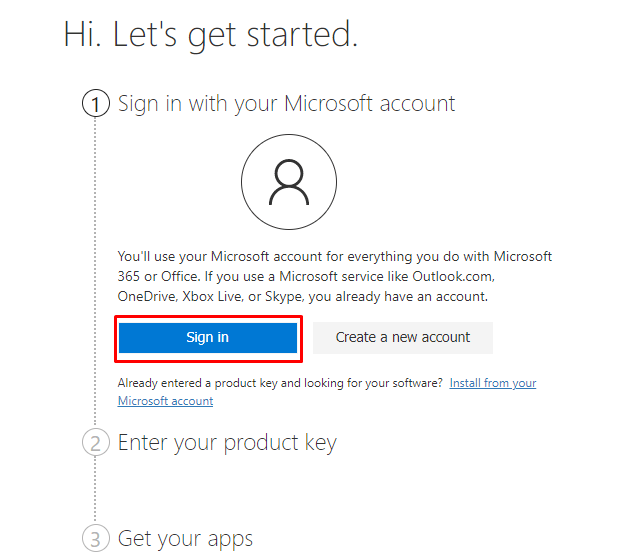
Create a new Microsoft account or sign in to your existing one.
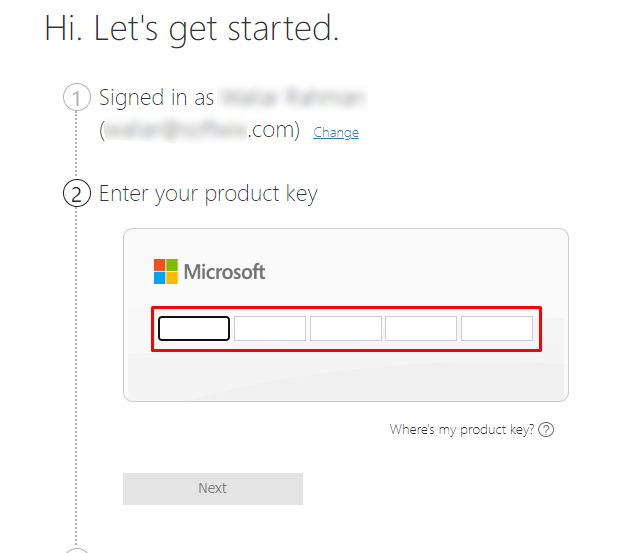
Then enter the product key provided by us.
And finally download and install Microsoft Office 2019 Professional Plus ISO file.
Note: You can also download the ISO file directly from Licengo download center if you have not purchased a license key yet.
Option 2:
First, before installing Office, check the minimum system requirements.
You can choose your Office image corresponding to your language from the download center, and click to download.
After downloading the file “Proplus2019retail.img” :
- Right-click on the downloaded file and select Open with Windows Explorer.
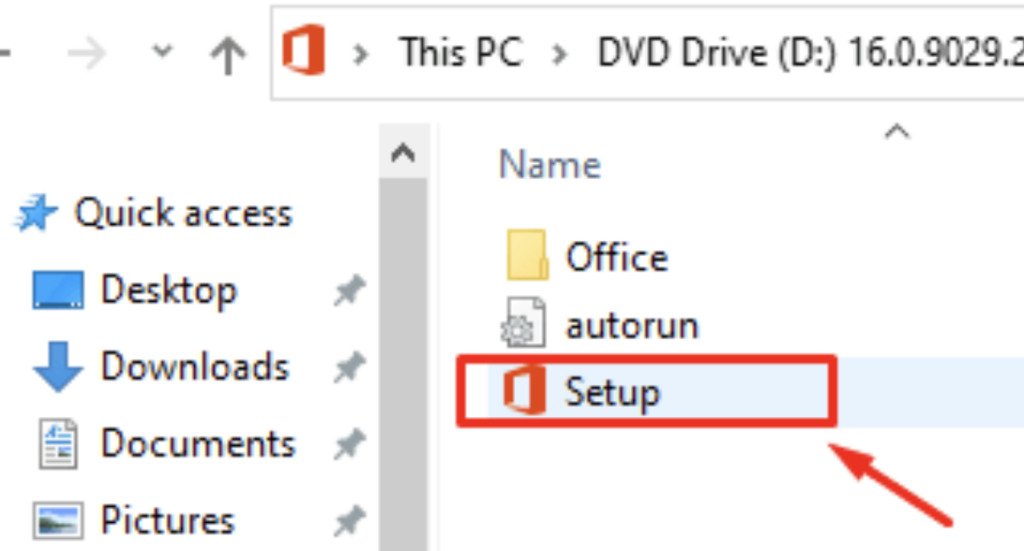
- Locate and run the Setup file to begin the installation.
If This Step Does Not Work
- Download a ZIP utility such as: Izarc (freeware), WinRAR, 7-Zip, or WinZIP.
- Extract the contents of the .img file to a location on your computer.
- Navigate to the extracted files and run the setup file to proceed with the installation.
Follow the further instructions that appear on your screen to proceed with the installation.
Once the installation is complete, a new window will appear, Simply close it to finalize the installation process.
Activate Microsoft Office Pro Plus 2019
After successfully installing Office 2019 Pro Plus on your device, you can activate the software by following these steps:
- Open any Microsoft Office 2019 application, such as Word or Excel.
- Click on the “File” tab located in the top-left corner of the screen.
- Select “Account” from the menu on the left side.
- In the “Product Information” section, click on the “Change Product Key” option.
- Enter your 25-character product key in the provided field and press the Enter button.
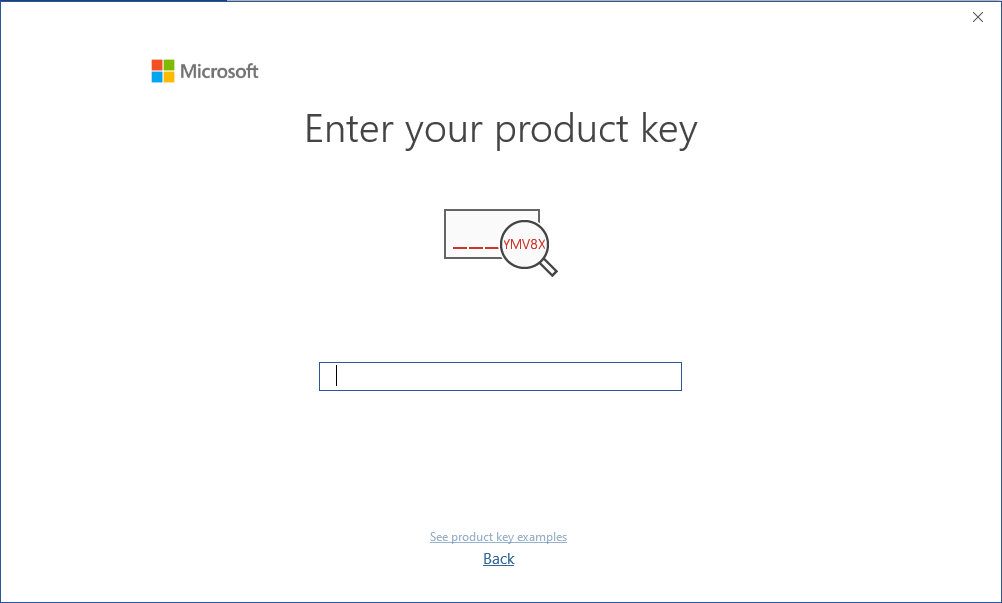
If you enter the license key correctly and it is valid, the Activate Office button will appear.
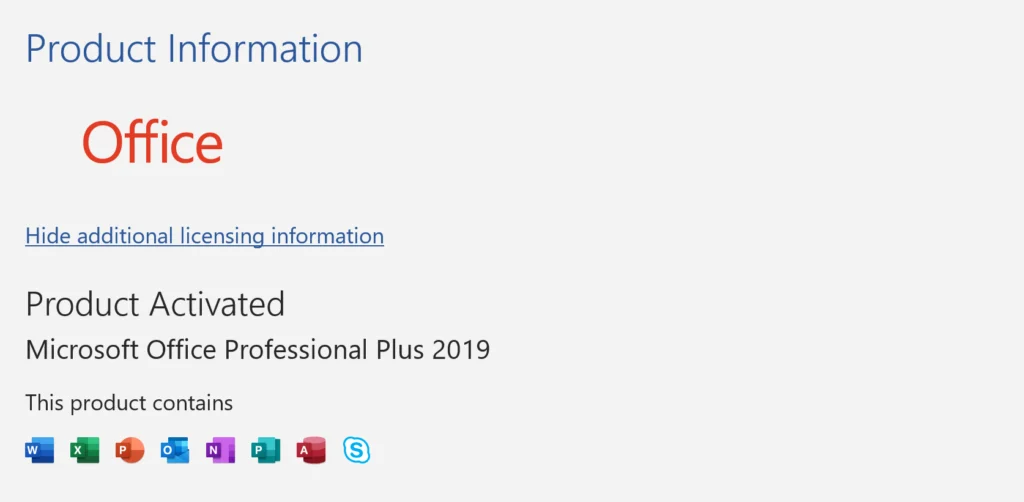
Congratulations! Office 2019 Professional Plus has been successfully activated on your device. You can now enjoy the full range of features and benefits offered by the complete suite of applications.

 Download Microsoft Office 2019 Professional Plus English Edition
 Download Microsoft Office 2019 Professional Plus Spanish Edition
 Download Microsoft Office 2019 Professional Plus French Edition
 Download Microsoft Office 2019 Professional Plus German Edition
 Download Microsoft Office 2019 Professional Plus Italian Edition
 Download Microsoft Office 2019 Professional Plus Arabic Edition