In this guide, we explain step-by-step how to download, install, and successfully activate Windows Server 2016 Standard:
- Download Windows Server 2016 image file from Download Center (Direct link to Microsoft’s servers).
- Create a Bootable USB Drive:
Use a tool like Rufus or the Windows USB/DVD Download Tool (We chose Rufus for this tutorial):- Open Rufus.
- Select your USB drive.
- Choose the Windows Server ISO file.
- Select GPT or MBR partition scheme depending on your BIOS/UEFI setup.
- Click Start to create the bootable USB.
- To activate Windows Server 2016 Standard Edition using CMD, run Command Prompt as an administrator and execute the following command:
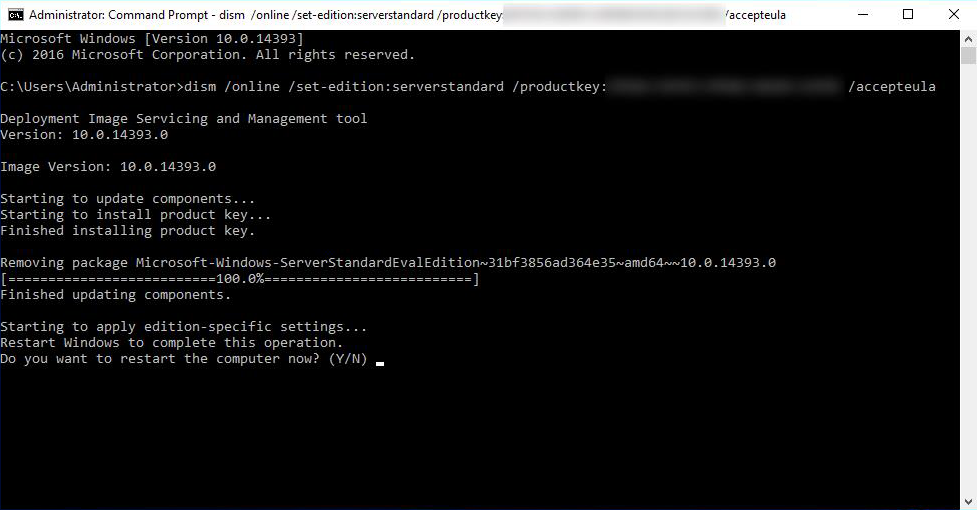
Dism /online /Set-Edition:ServerStandard /AcceptEula /ProductKey:XXXXX-XXXXX-XXXXX-XXXXX-XXXXX
Replace XXXXXX****X with your product key.